What's New in VeraLab 26.1
VeraLab 26.1 brings a new version naming scheme, refreshed platform technology and the biggest update to the VeraLab client in years: one installer for every sign-in method, with the sign-in mode set centrally from the server.
Separate release notes were not published for the interim 9.5.1, 9.5.2 and 9.5.3 updates, so the changes from those releases are included here to give you a complete picture since 9.5.0.
Enhancements and Updates
- New version numbering. VeraLab now uses a year-based version number. 26.1 is the first VeraLab release of 2026, so you can tell at a glance how current your installation is.
- Upgrade eligibility. Upgrading to VeraLab 26.1 and later requires an active Extended Support agreement. If your Extended Support has lapsed, please renew it before upgrading. Contact sales@veralab.com if you are unsure of your current status.
- Excel (.xlsx) data import. The Import Data tool now accepts Microsoft Excel (.xlsx) files in addition to the previously supported formats.
- Excel (.xlsx) report export. Reports now generate in Microsoft Excel (.xlsx) format, ready to filter, sort and share.
- Active-only filter for payroll reports. The Summary and Detailed Payroll reports have a checkbox to show all users or only currently active ones, so you can focus on your present staff.
- Audit Log export. The Audit Log can be exported to CSV or Excel, making it simple to archive activity records or share them with your security and compliance tools.
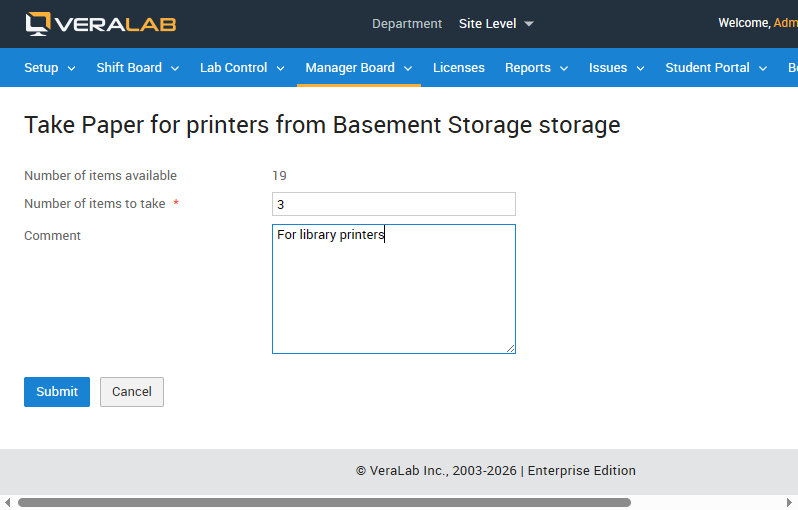
- Comments on inventory transactions. You can now add comments to inventory transactions to record context and keep a clear history of changes.
- Faster installation, startup and redeployment. Installing, starting and redeploying VeraLab is faster, and restarts are cleaner. On Windows, application files are no longer locked after the server stops, so updates and restarts complete more reliably.
- Modernized code signing. VeraLab application components are now signed with Azure Artifact Signing, maintaining the trust and integrity of the software you install.
VeraLab Client Enhancements
This release delivers a single unified client, sign-in modes managed centrally from the server, automatic workstation identification and macOS auto-login.
- Single unified client. There is no longer a separate Standard, LDAP or Novell client. One installer covers them all, and you no longer choose a client type when installing: how each workstation signs in is controlled from the server. Custom-built clients you use today continue to work as before.
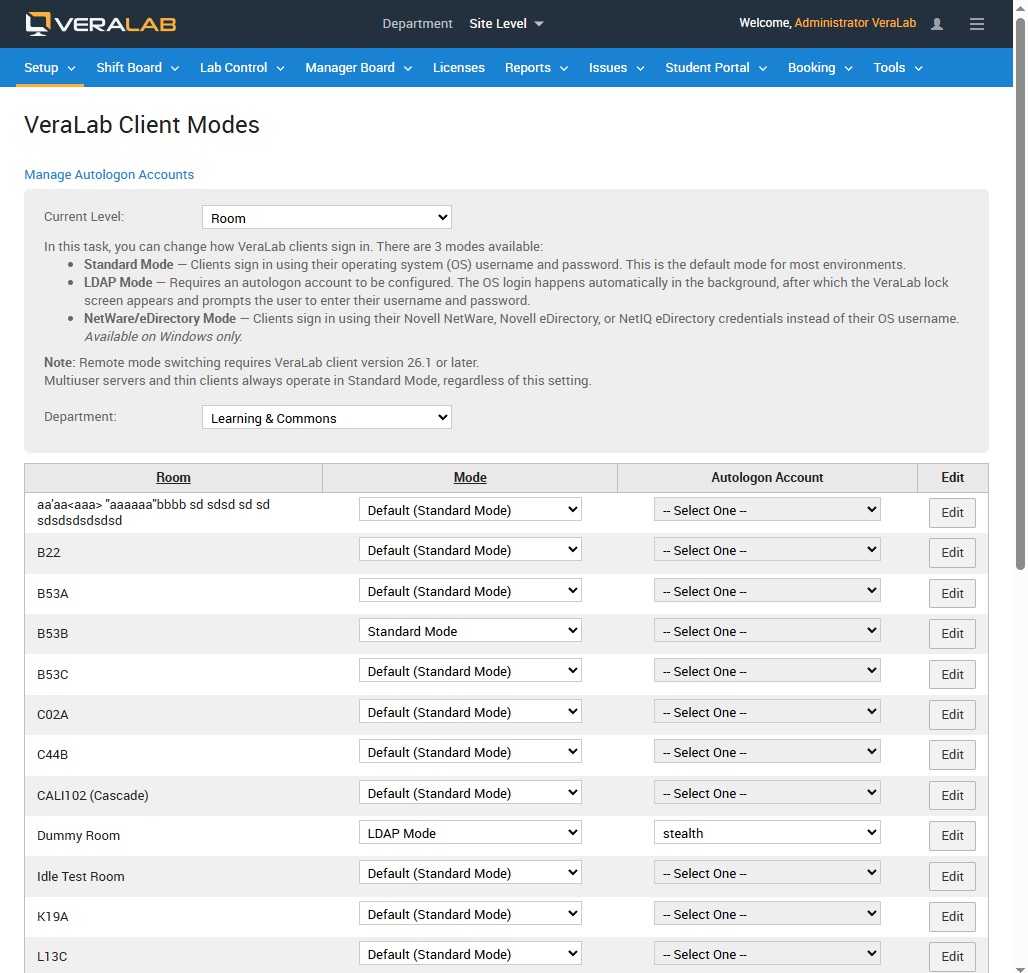
- Server-controlled client modes. A new Client Modes task (Setup → Client Modes) lets you set how clients sign in, per room or department, directly from the server. Three modes are available:
- Standard Mode: clients sign in with their operating system username and password. This is the default for most environments.
- LDAP Mode: an autologon account signs the workstation in automatically, then the VeraLab lock screen prompts the user for their own username and password.
- NetWare / eDirectory Mode: clients sign in with Novell NetWare, Novell eDirectory or NetIQ eDirectory credentials. Available on Windows only.
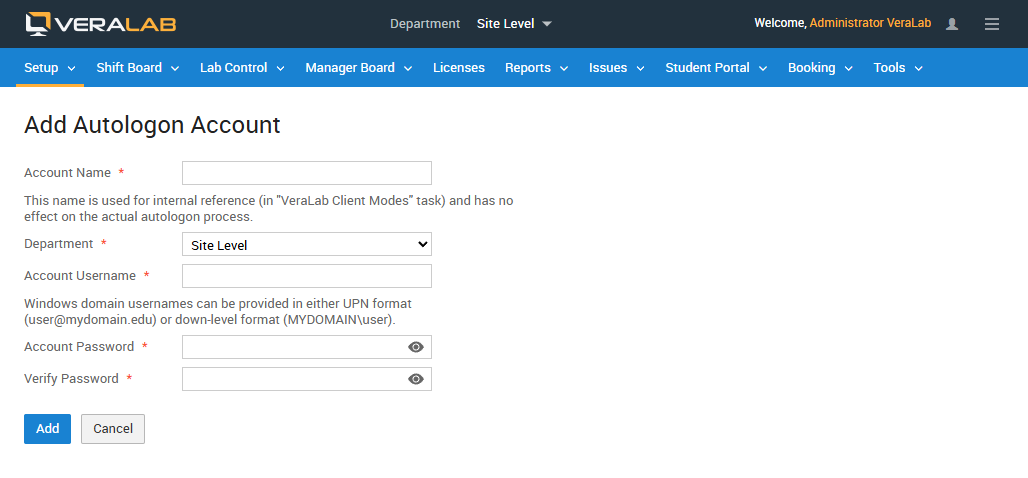
- Autologon accounts. A new Autologon Accounts subtask lets you create and manage the accounts used by LDAP Mode. Usernames can be entered in UPN format (
user@mydomain.edu) or down-level format (MYDOMAIN\user).
- Instant mode switching, no reinstall or restart. Changing a client's mode takes effect without reinstalling or restarting the client. Sign-in-related changes, such as the lock screen, apply at the next login. If a client is switched out of LDAP Mode and no new login has occurred, the client signs the current session out.
- macOS auto-login support. Auto-login can now be configured on macOS as well as Windows. On macOS, auto-login applies after startup or reboot; unlike Windows, it cannot be triggered after a user logs out.
- Connection test shows the active mode. Running a Test Connection now shows the mode the client received from the server, so you can confirm that a room is configured the way you intended.
- Smarter station identification. VeraLab recognizes each workstation automatically by a unique Device ID. Stations stay correctly matched even after they are renamed or their hardware changes.
- Automatic computer model detection. The client reports its own computer model, so you no longer choose it by hand and your inventory stays accurate.
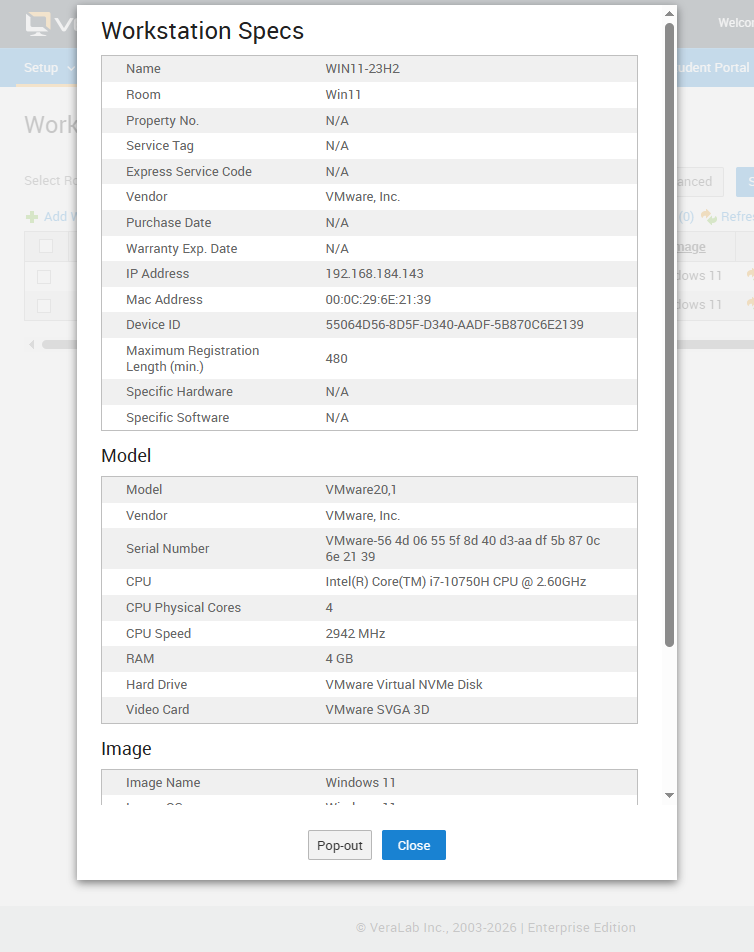
- On-demand client refresh. A new command asks your clients to report their latest details, Device ID and model, straight from the server, so your records can be brought up to date whenever you need.
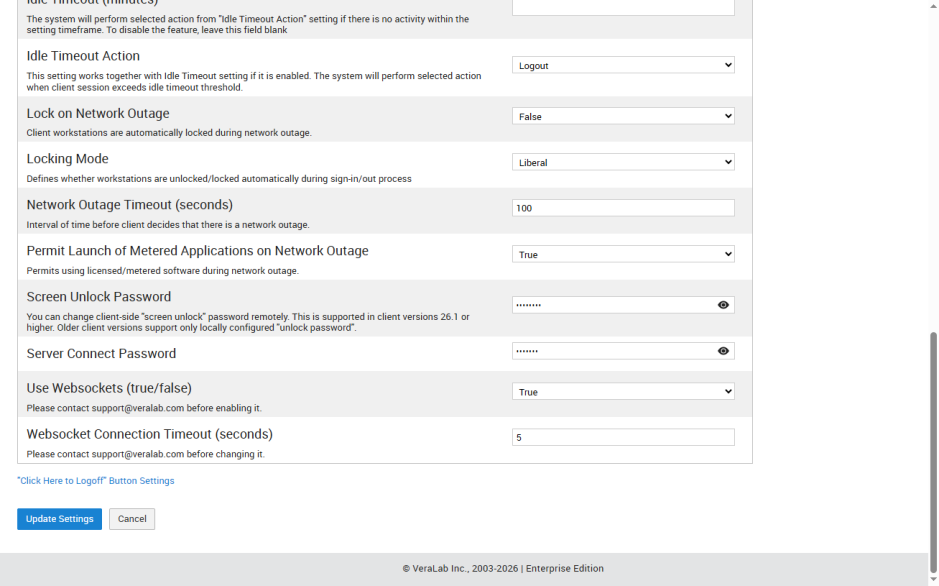
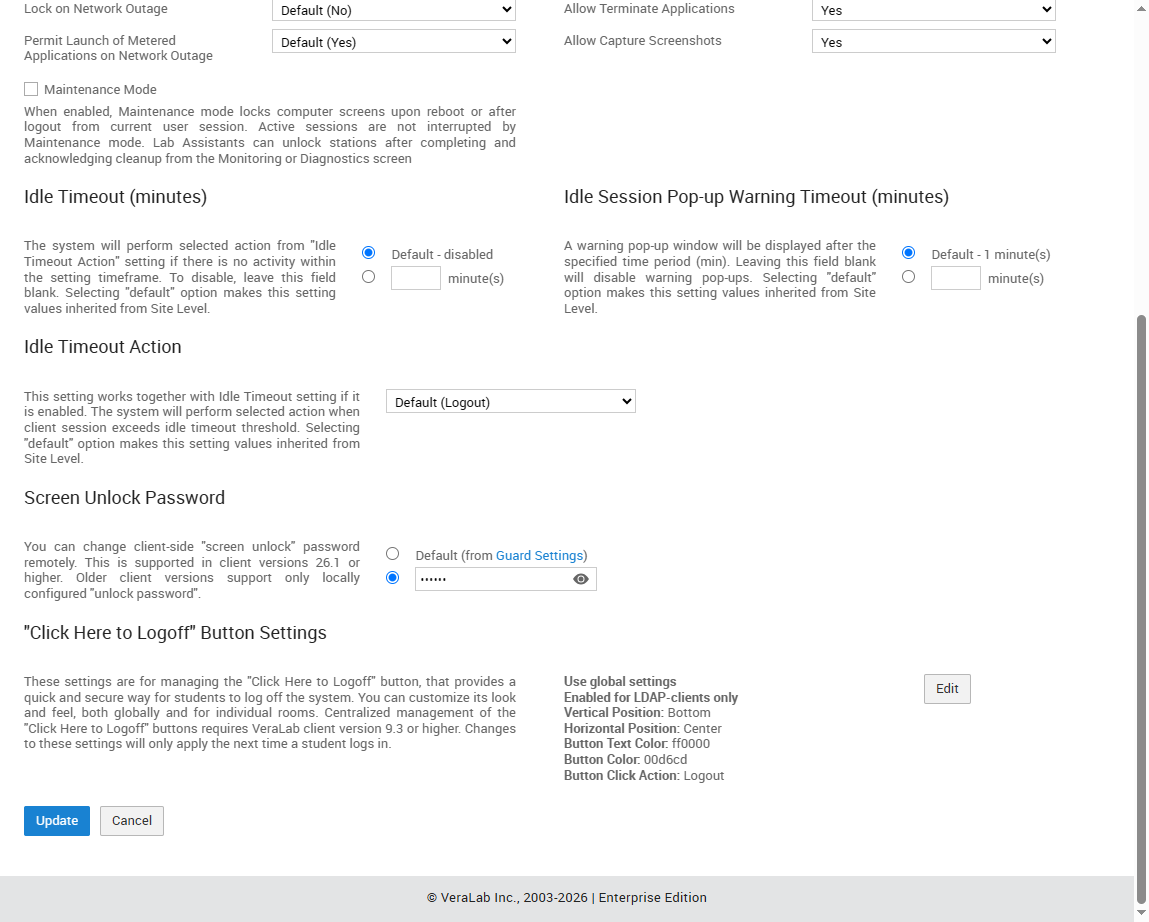
- Centrally managed unlock passwords. Workstation unlock passwords can be set directly from the VeraLab server, making it simpler to manage them consistently across your labs.
- Strengthened macOS client security. The macOS client includes behind-the-scenes security improvements that further protect your managed workstations.
Please note: server-controlled mode switching requires VeraLab client version 26.1 or later, so plan to update the VeraLab Guard Client on your workstations as part of your upgrade. Multiuser servers and thin clients always operate in Standard Mode, regardless of the configured mode.
Deep Freeze and similar tools: the Windows client stores its current mode in the Windows registry. If you use Deep Freeze or a comparable freeze/restore product, make sure it allows writes to the VeraLab registry branch and does not revert it, so mode changes persist. The macOS client stores its mode in a file within its own application folder.
Technology Stack Updates
VeraLab 26.1 includes updates to the following embedded platform technologies and dependencies.
| Component | Version / notes |
|---|---|
| Apache Tomcat | 11.0.23 |
| Embedded Java Runtime | JDK 25 (LTS) |
| Database | PostgreSQL 18 |
| Library dependencies | Updated and streamlined across platform components |
Bug Fixes
- Banner synchronization. Resolved an issue that could cause errors when synchronizing data with Banner.
- Monthly Usage Stats by Computer Room report. Corrected an error that produced inaccurate results for December.
Support and Feedback
Need help with your upgrade or have feedback? Contact the VeraLab Support Team at support@veralab.com or call +1 (855) 837-2522.